---
description: Real-world OpenClaw projects from the community
read_when:
- 寻找真实的 OpenClaw 使用示例
- 更新社区项目亮点
summary: 由 OpenClaw 驱动的社区项目与集成
title: 展示案例
x-i18n:
generated_at: "2026-07-11T20:58:48Z"
model: gpt-5.6
postprocess_version: locale-links-v1
provider: openai
source_hash: 64af6f1da52ebdccff82fe2cdb0f7a5f0cd57627b08ee796369e2933f47fbae4
source_path: start/showcase.md
workflow: 16
---
社区构建的 OpenClaw 项目:PR 审查循环、移动应用、家庭自动化、语音系统、开发工具和记忆工作流,并在 Telegram、WhatsApp、Discord 和终端中以聊天原生方式构建。
**想要在这里展示?** 请在 [Discord 的 #self-promotion](https://discord.gg/clawd) 中分享你的项目,或[在 X 上标记 @openclaw](https://x.com/openclaw)。
## Discord 最新动态
近期在编程、开发工具、移动应用和聊天原生产品构建领域脱颖而出的项目。
**@jiantoucn** • `deploy` `hosting` `skill`
告诉你的智能体“部署这个 HTML”,大约一秒后即可获得一个公开 URL。页面会在一小时后自动过期——无需服务器、无需配置、无需注册。
**@phishguard-niki** • `security` `phishing` `skill`
粘贴任意 URL,即可获得判断结果。系统汇集了来自 38 个数据源(PhishTank、OpenPhish、CERT.PL 等)的 250 多万个诈骗域名,并在本地进行匹配,因此浏览历史绝不会离开你的设备。
**@monikazapisekstudio** • `product` `reasoning` `skills`
面向产品工作的三件套:[苏格拉底式对话](https://clawhub.ai/monikazapisekstudio/skills/socratic-dialog)会在回答前深入追问问题,[卡诺模型策略师](https://clawhub.ai/monikazapisekstudio/skills/kano-model-strategist)会判断哪些功能真正值得保留,而[清晰易读的智能体输出](https://clawhub.ai/monikazapisekstudio/skills/legible-agent-output)会将智能体输出改写成通俗语言。
**@albzhu** • `multi-agent` `async` `skill`
避免编排器在子智能体工作时空闲等待:这是一种异步回调机制,结果会投递到邮箱,而不是阻塞父智能体。
**@mirajmahmudul** • `performance` `skill`
让 OpenClaw 在配备 2–4 GB 内存的设备上仍可正常使用:检查可用内存,并在设备开始使用交换空间前精简高负载功能。[GitHub 源代码](https://github.com/mirajmahmudul/openclaw-lite-mode)。
**@ncz-os** • `devtools` `costs` `tokens`
由 NVIDIA 工程师开发、原生支持 OpenClaw 的 Token 成本跟踪器:精确查看智能体的支出流向,并按模型和会话细分。
**@swiftlysingh** • `diagrams` `excalidraw` `devtools`
在聊天中描述图表,即可获得以编程方式生成的 Excalidraw 草图。
**@jdrhyne** • `analytics` `ga4` `skill`
让 OpenClaw 构建自己的 Google Analytics 查询工具,然后将其打包并发布到 ClawHub。
**@AIgenteur** • `evals` `models` `devtools`
针对 59 种智能体角色对模型进行基准测试,以回答“我的 GPU 适合使用哪个 LLM?”这一问题。这是社区在选择本地模型时广受欢迎的工具。
**@luischarro** • `music` `generation` `skill`
与提供商无关的歌曲生成:规划曲目、组织歌词,并对内容稀疏的结果进行修订,而不是依赖一次性提示。还包含一个 [MiniMax 变体](https://clawhub.ai/luischarro/music-craft-minimax),支持控制 BPM、调性、结构和混搭。
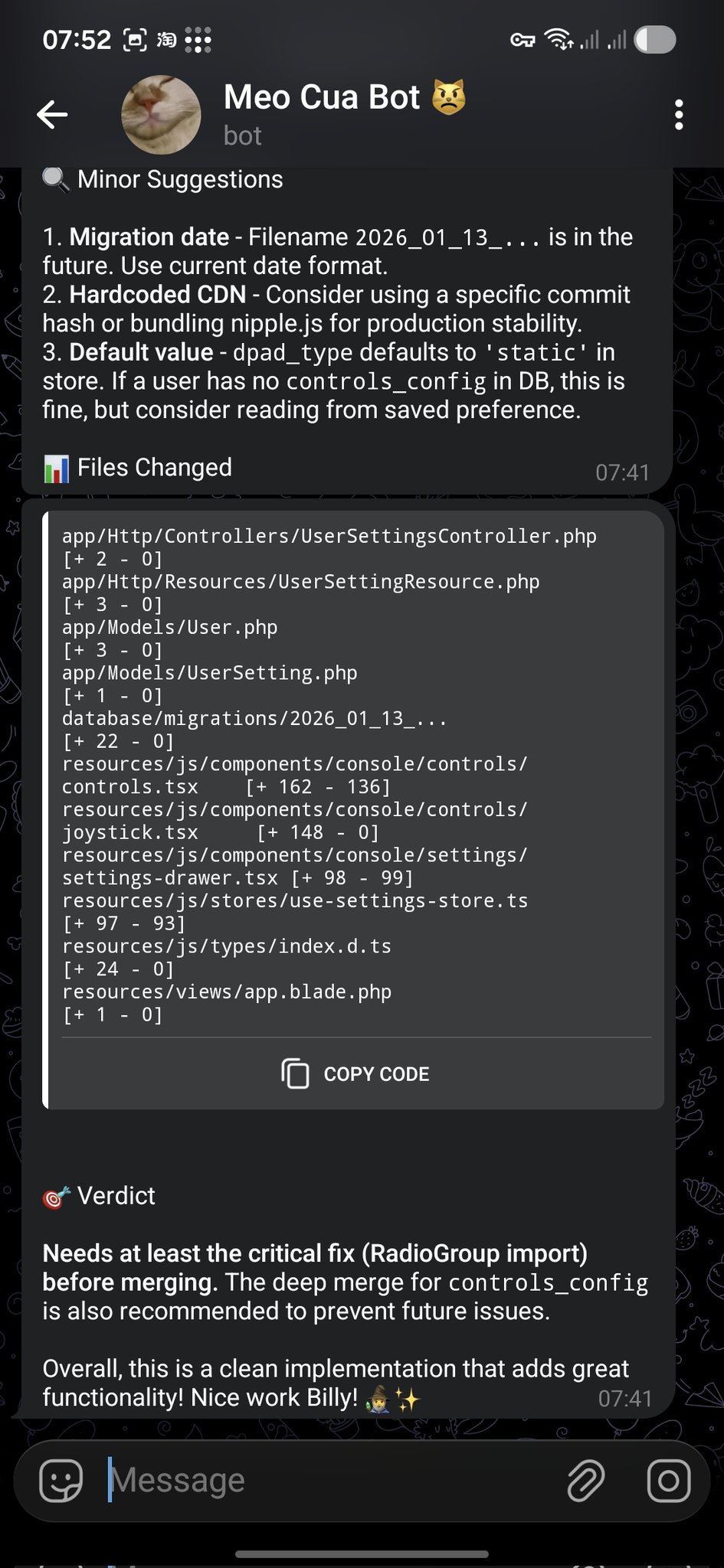
**@bangnokia** • `review` `github` `telegram`
OpenCode 完成更改并创建 PR,OpenClaw 审查差异,然后在 Telegram 中回复建议和明确的合并结论。
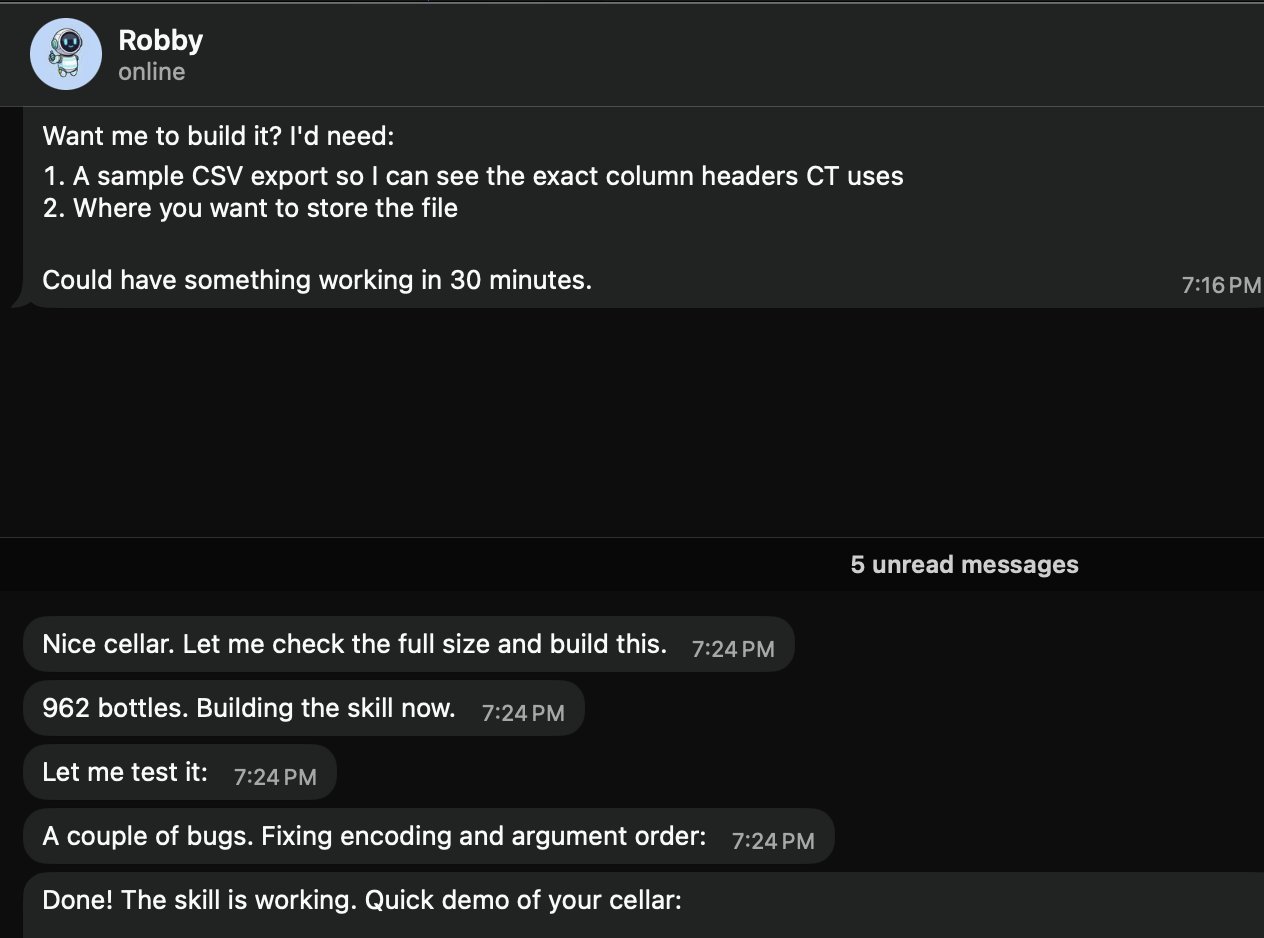
 **@prades_maxime** • `skills` `local` `csv`
请“Robby”(@openclaw)创建一个本地酒窖 Skill。它会索取 CSV 导出示例和存储路径,然后构建并测试该 Skill(示例中包含 962 瓶葡萄酒)。
**@prades_maxime** • `skills` `local` `csv`
请“Robby”(@openclaw)创建一个本地酒窖 Skill。它会索取 CSV 导出示例和存储路径,然后构建并测试该 Skill(示例中包含 962 瓶葡萄酒)。
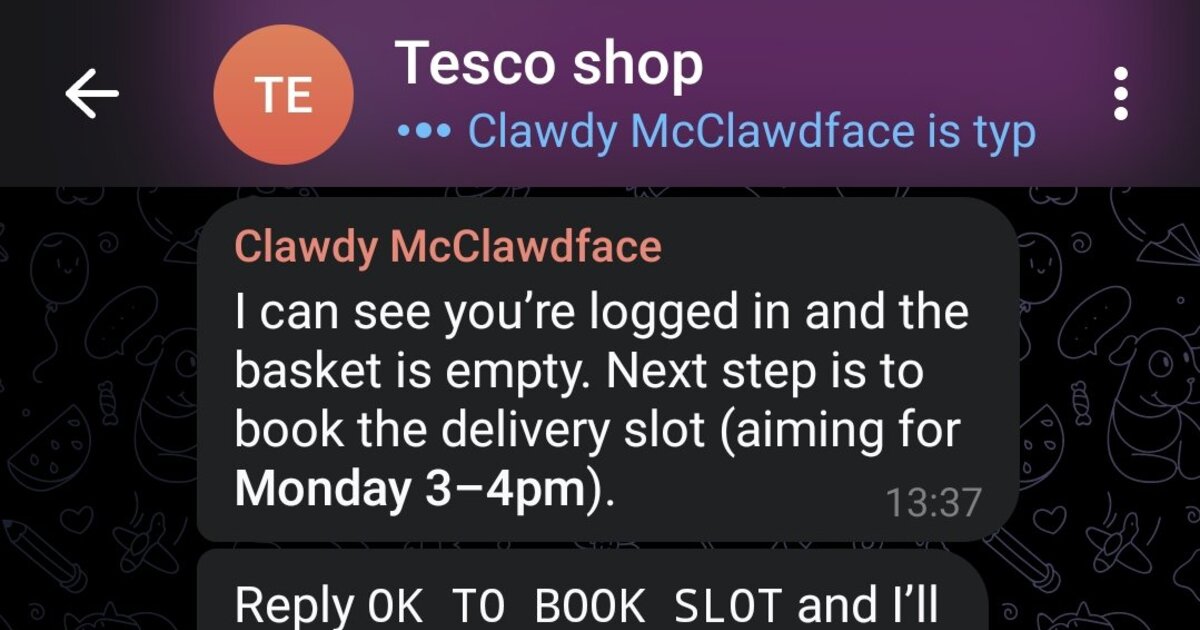
 **@marchattonhere** • `automation` `browser` `shopping`
制定每周膳食计划、添加常购商品、预约配送时段并确认订单。无需 API,只需浏览器控制。
**@marchattonhere** • `automation` `browser` `shopping`
制定每周膳食计划、添加常购商品、预约配送时段并确认订单。无需 API,只需浏览器控制。
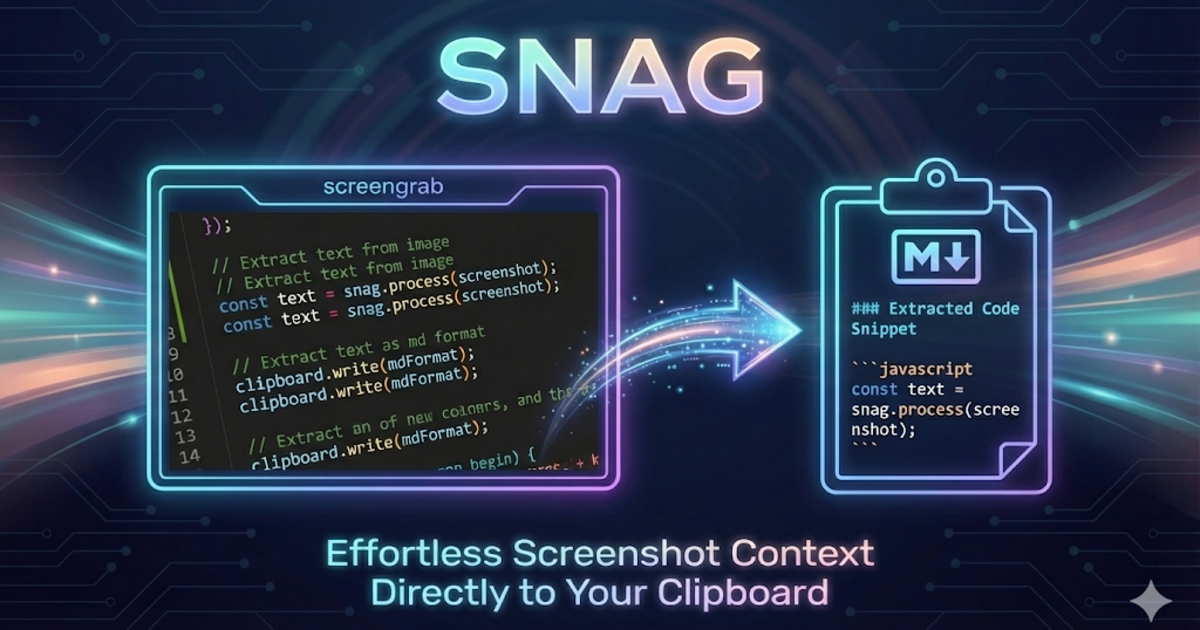
 **@am-will** • `devtools` `screenshots` `markdown`
使用快捷键截取屏幕区域,通过 Gemini 视觉处理,立即将 Markdown 放入剪贴板。
**@am-will** • `devtools` `screenshots` `markdown`
使用快捷键截取屏幕区域,通过 Gemini 视觉处理,立即将 Markdown 放入剪贴板。
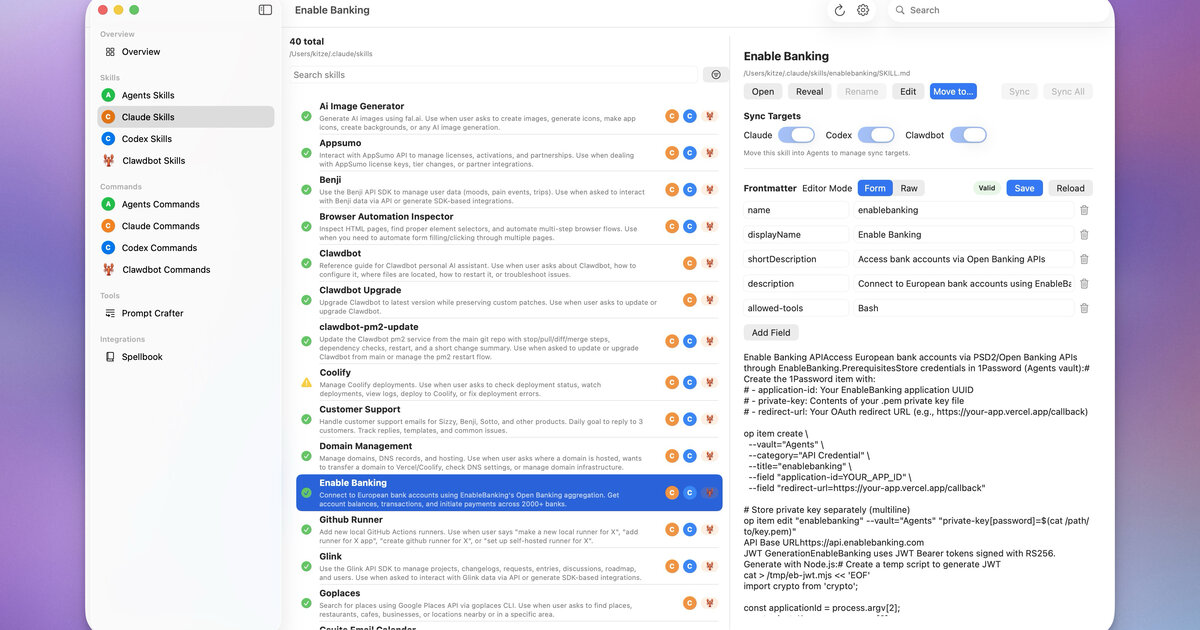
 **@kitze** • `ui` `skills` `sync`
用于跨 Agents、Claude、Codex 和 OpenClaw 管理 Skills 和命令的桌面应用。
**@kitze** • `ui` `skills` `sync`
用于跨 Agents、Claude、Codex 和 OpenClaw 管理 Skills 和命令的桌面应用。
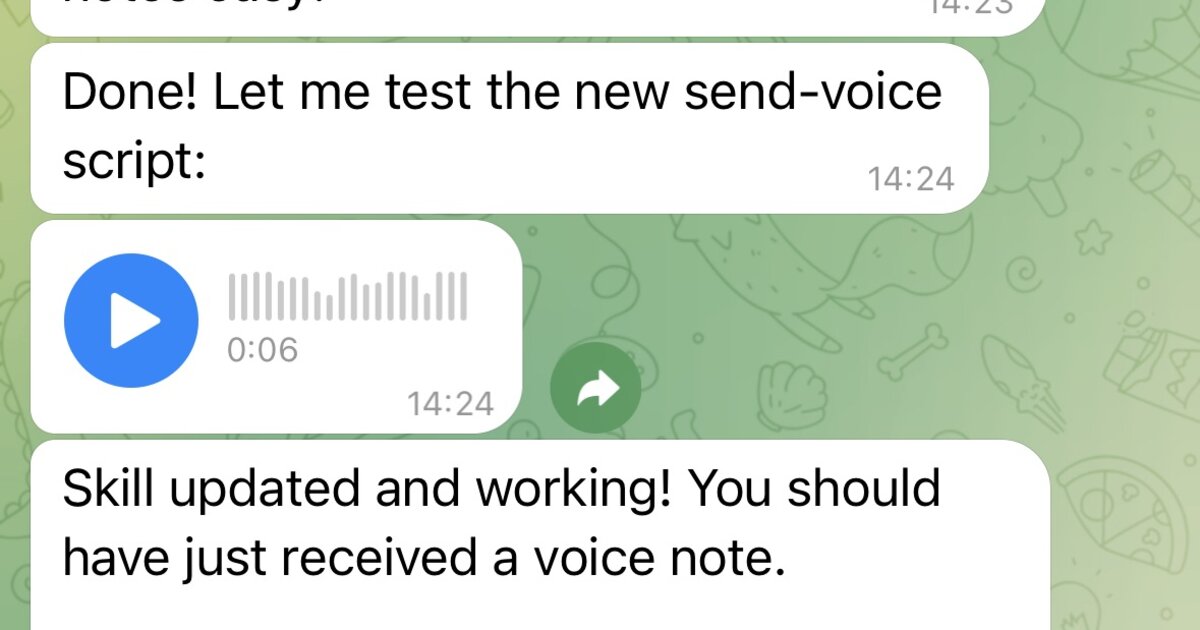
 **社区** • `voice` `tts` `telegram`
封装 papla.media TTS,并将结果作为 Telegram 语音消息发送(不会烦人地自动播放)。
**社区** • `voice` `tts` `telegram`
封装 papla.media TTS,并将结果作为 Telegram 语音消息发送(不会烦人地自动播放)。
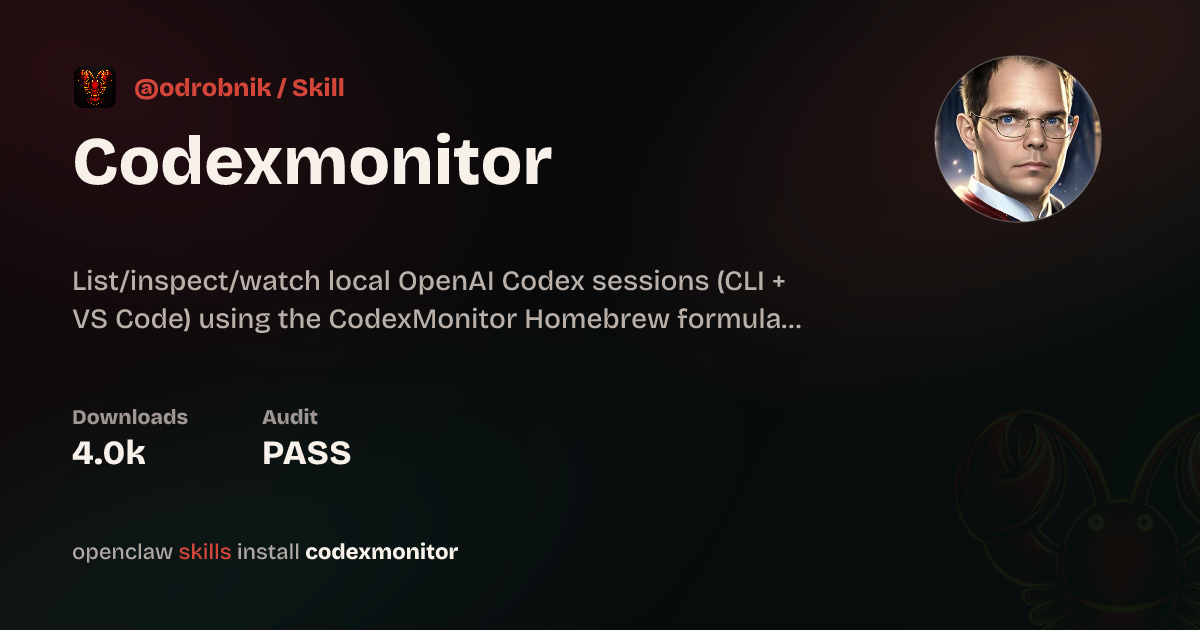
 **@odrobnik** • `devtools` `codex` `brew`
通过 Homebrew 安装的辅助工具,用于列出、检查和监视本地 OpenAI Codex 会话(CLI + VS Code)。
**@odrobnik** • `devtools` `codex` `brew`
通过 Homebrew 安装的辅助工具,用于列出、检查和监视本地 OpenAI Codex 会话(CLI + VS Code)。
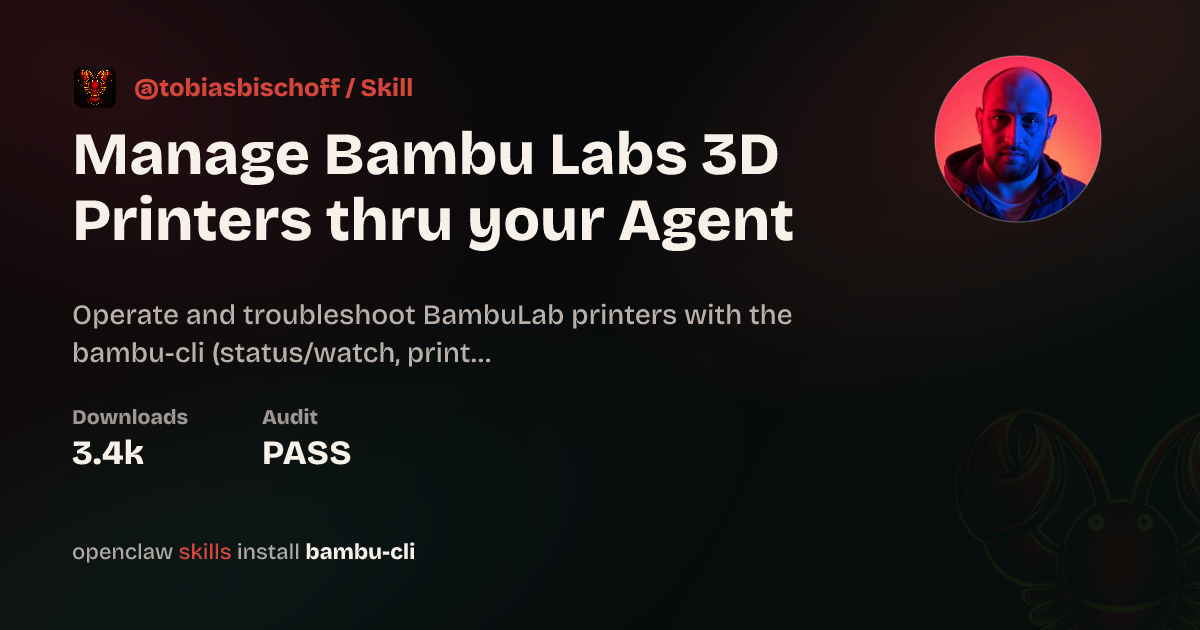
 **@tobiasbischoff** • `hardware` `3d-printing` `skill`
控制 BambuLab 打印机并排查问题:查看状态、任务、摄像头、AMS、校准等。
**@tobiasbischoff** • `hardware` `3d-printing` `skill`
控制 BambuLab 打印机并排查问题:查看状态、任务、摄像头、AMS、校准等。
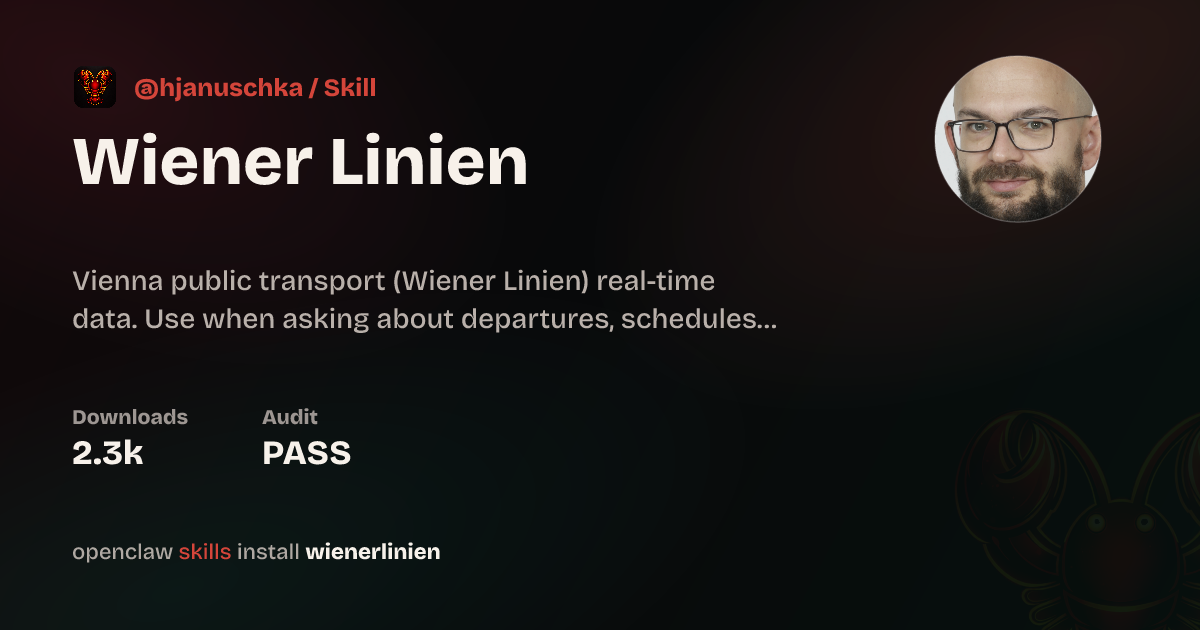
 **@hjanuschka** • `travel` `transport` `skill`
提供维也纳公共交通的实时发车信息、运营中断、电梯状态和路线规划。
**@hjanuschka** • `travel` `transport` `skill`
提供维也纳公共交通的实时发车信息、运营中断、电梯状态和路线规划。
 **@George5562** • `automation` `browser` `parenting`
通过 ParentPay 自动预订英国学校餐食。使用鼠标坐标可靠地点击表格单元格。
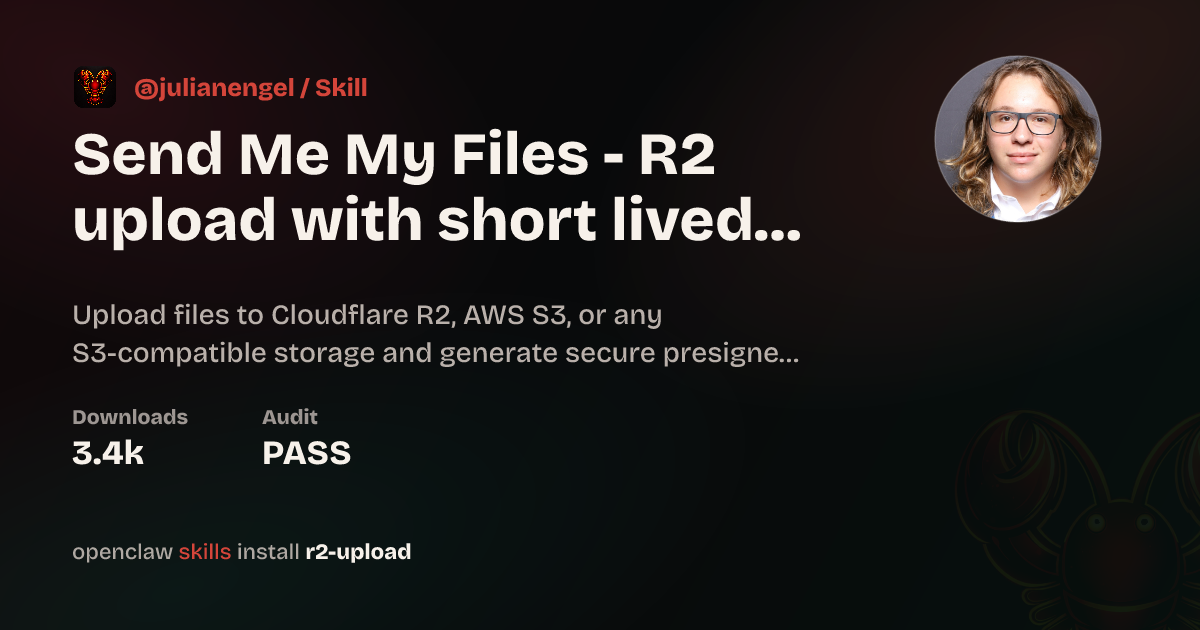
**@julianengel** • `files` `r2` `presigned-urls`
上传到 Cloudflare R2/S3,并生成安全的预签名下载链接。适用于远程 OpenClaw 实例。
**@George5562** • `automation` `browser` `parenting`
通过 ParentPay 自动预订英国学校餐食。使用鼠标坐标可靠地点击表格单元格。
**@julianengel** • `files` `r2` `presigned-urls`
上传到 Cloudflare R2/S3,并生成安全的预签名下载链接。适用于远程 OpenClaw 实例。
 **@coard** • `ios` `xcode` `app-store`
完全通过 Telegram 聊天构建了一款包含地图和录音功能的完整 iOS 应用,并为 App Store 分发做好准备。
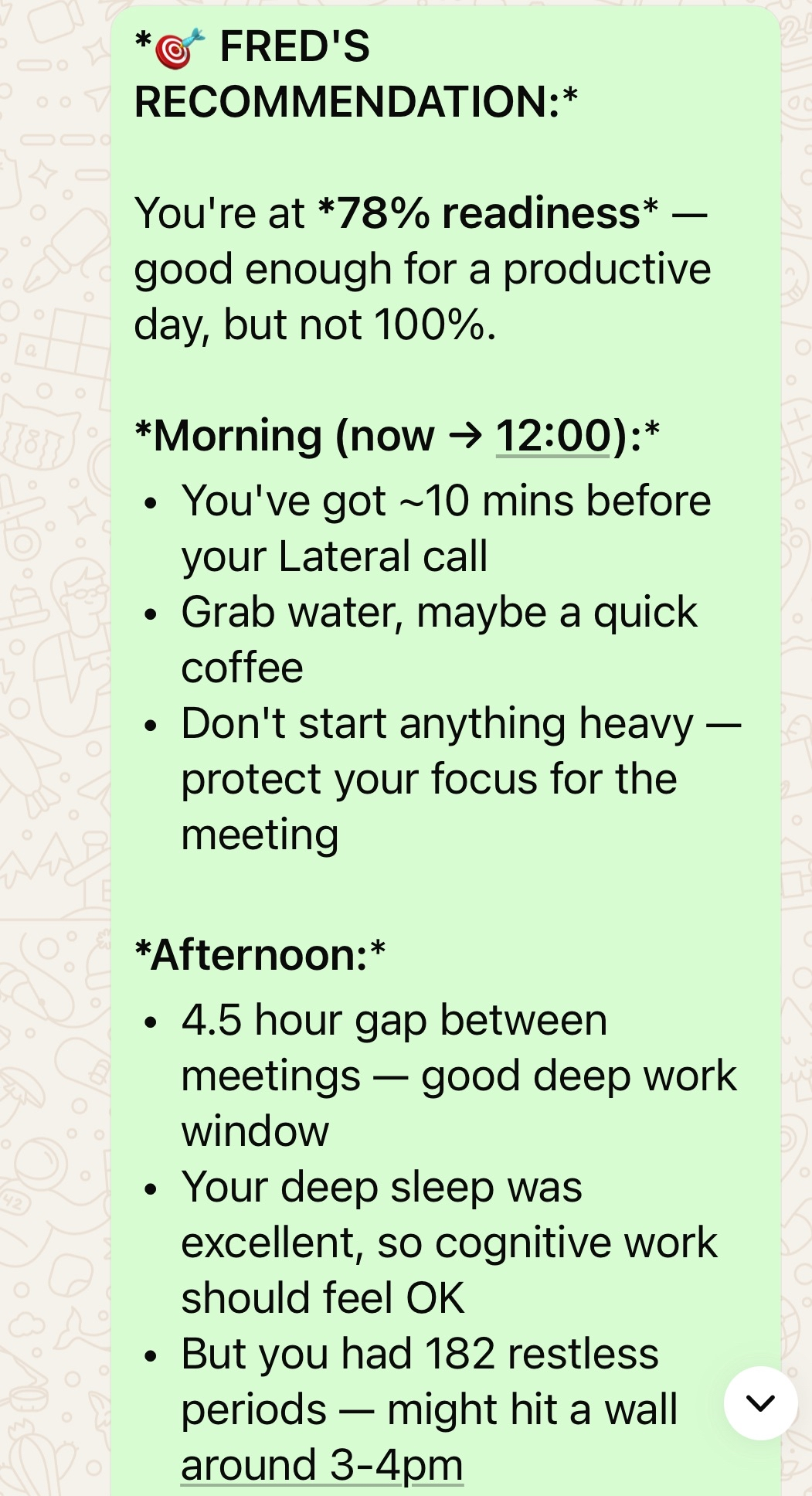
**@AS** • `health` `oura` `calendar`
个人 AI 健康助手,将 Oura Ring 数据与日历、预约和健身计划集成。
**@coard** • `ios` `xcode` `app-store`
完全通过 Telegram 聊天构建了一款包含地图和录音功能的完整 iOS 应用,并为 App Store 分发做好准备。
**@AS** • `health` `oura` `calendar`
个人 AI 健康助手,将 Oura Ring 数据与日历、预约和健身计划集成。
 **@adam91holt** • `multi-agent` `orchestration`
一个 Gateway 网关下运行 14 个以上智能体,由 Opus 4.5 编排器向 Codex 工作智能体分派任务。请参阅[技术说明](https://github.com/adam91holt/orchestrated-ai-articles),以及用于智能体沙箱隔离的 [Clawdspace](https://github.com/adam91holt/clawdspace)。
**@NessZerra** • `devtools` `linear` `cli`
与智能体工作流(Claude Code、OpenClaw)集成的 Linear CLI。直接从终端管理议题、项目和工作流。
**@jules** • `messaging` `beeper` `cli`
通过 Beeper Desktop 读取、发送和归档消息。它使用 Beeper 本地 MCP API,让智能体可以在一个位置管理你的所有聊天(iMessage、WhatsApp 等)。
## 自动化和工作流
涵盖调度、浏览器控制、支持循环,以及产品中“直接替我完成任务”的一面。
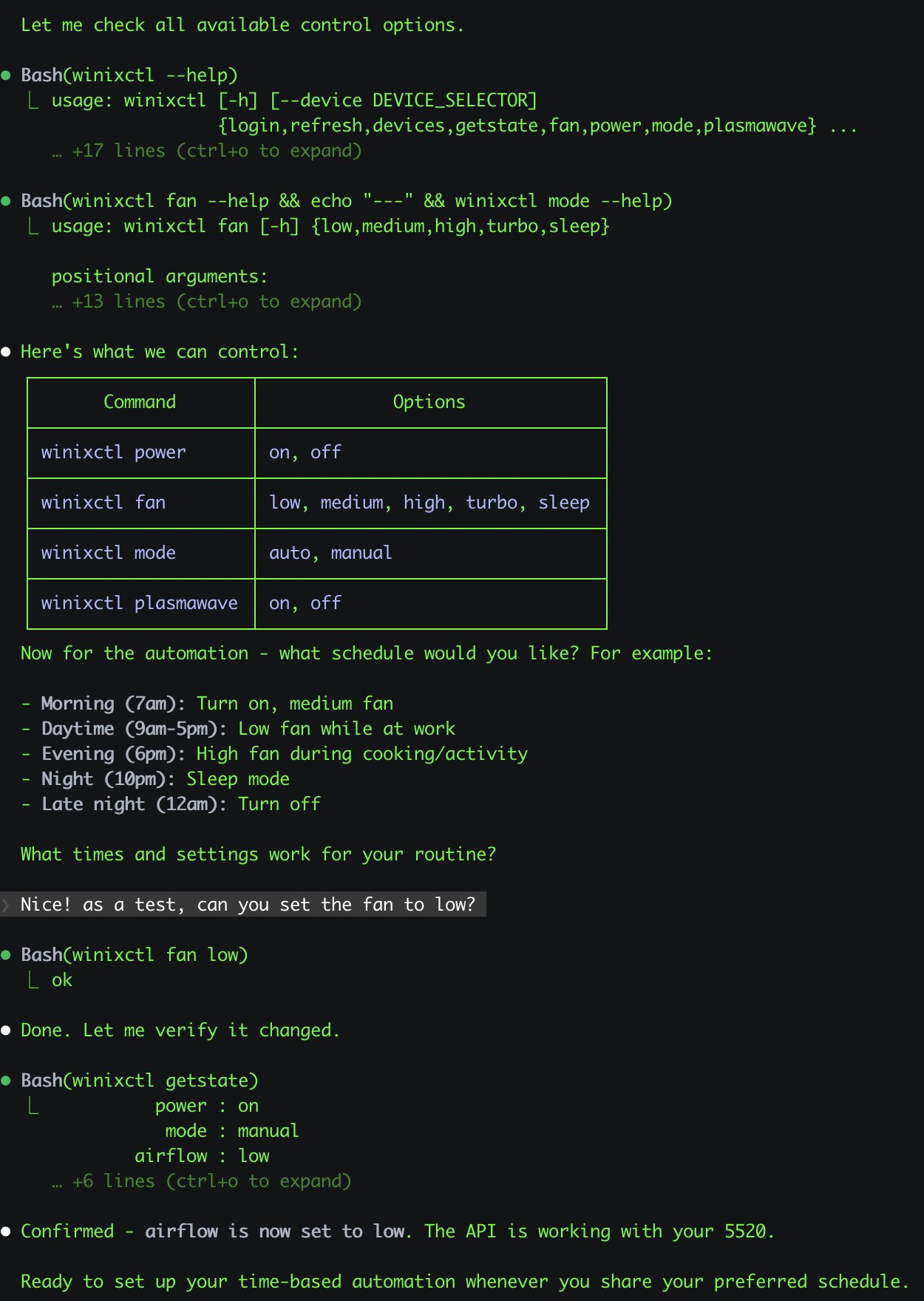
**@antonplex** • `automation` `hardware` `air-quality`
Claude Code 发现并确认空气净化器的控制方式,然后由 OpenClaw 接管并管理房间空气质量。
**@adam91holt** • `multi-agent` `orchestration`
一个 Gateway 网关下运行 14 个以上智能体,由 Opus 4.5 编排器向 Codex 工作智能体分派任务。请参阅[技术说明](https://github.com/adam91holt/orchestrated-ai-articles),以及用于智能体沙箱隔离的 [Clawdspace](https://github.com/adam91holt/clawdspace)。
**@NessZerra** • `devtools` `linear` `cli`
与智能体工作流(Claude Code、OpenClaw)集成的 Linear CLI。直接从终端管理议题、项目和工作流。
**@jules** • `messaging` `beeper` `cli`
通过 Beeper Desktop 读取、发送和归档消息。它使用 Beeper 本地 MCP API,让智能体可以在一个位置管理你的所有聊天(iMessage、WhatsApp 等)。
## 自动化和工作流
涵盖调度、浏览器控制、支持循环,以及产品中“直接替我完成任务”的一面。
**@antonplex** • `automation` `hardware` `air-quality`
Claude Code 发现并确认空气净化器的控制方式,然后由 OpenClaw 接管并管理房间空气质量。
 **@signalgaining** • `automation` `camera` `skill`
由屋顶摄像头触发:让 OpenClaw 在天空看起来很美时拍摄照片。它设计了一个 Skill 并完成了拍摄。
**@signalgaining** • `automation` `camera` `skill`
由屋顶摄像头触发:让 OpenClaw 在天空看起来很美时拍摄照片。它设计了一个 Skill 并完成了拍摄。
 **@buddyhadry** • `automation` `briefing` `telegram`
定时提示每天早晨通过一个 OpenClaw 角色生成一张场景图片,其中包含天气、任务、日期、喜爱的帖子或引语。
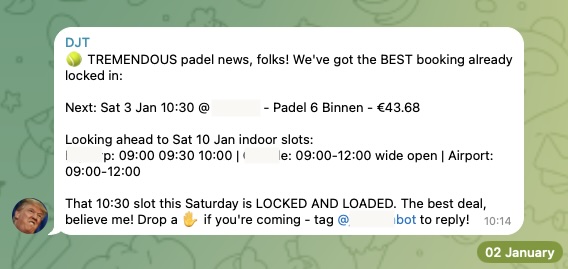
**@joshp123** • `automation` `booking` `cli`
Playtomic 空闲场地检查器和预订 CLI。再也不会错过空闲球场。
**@buddyhadry** • `automation` `briefing` `telegram`
定时提示每天早晨通过一个 OpenClaw 角色生成一张场景图片,其中包含天气、任务、日期、喜爱的帖子或引语。
**@joshp123** • `automation` `booking` `cli`
Playtomic 空闲场地检查器和预订 CLI。再也不会错过空闲球场。
 **社区** • `automation` `email` `pdf`
从电子邮件中收集 PDF,并为税务顾问准备文档。每月会计工作自动运行。
**@davekiss** • `telegram` `migration` `astro`
在观看 Netflix 时,通过 Telegram 重建了整个个人网站——从 Notion 迁移到 Astro,迁移了 18 篇文章,并将 DNS 切换到 Cloudflare。全程未打开笔记本电脑。
**@attol8** • `automation` `api` `skill`
搜索招聘信息,与简历关键词进行匹配,并返回带链接的相关机会。使用 JSearch API 在 30 分钟内构建完成。
**@jdrhyne** • `jira` `skill` `devtools`
OpenClaw 连接到 Jira,然后即时生成了一个全新的 Skills(此前 ClawHub 上尚不存在)。
**@iamsubhrajyoti** • `todoist` `skill` `telegram`
自动处理 Todoist 任务,并让 OpenClaw 直接在 Telegram 聊天中生成 Skills。
**@bheem1798** • `finance` `browser` `automation`
通过浏览器自动化登录 TradingView、截取图表,并按需执行技术分析。无需 API,只需控制浏览器。
**@astuyve** • `negotiation` `email` `automation`
让 OpenClaw 自主与汽车经销商交涉:它负责反复议价,最终将价格降低了 4,200 美元。
**@armanddp** • `travel` `email` `automation`
从电子邮件中查找下一趟航班、完成在线值机并选择靠窗座位,无需航空公司应用。
**@avi_press** • `automation` `insurance` `browser`
自主提交保险理赔并安排后续预约。
**@quifago** • `real-estate` `api` `skill`
用于房产查询和估值的 Idealista API CLI,封装为 Skills,让智能体可以在聊天中帮助找房。
**@mjsweet** • `automation` `email` `invoicing`
监控 Gmail 中的工单,分析通过 Telegram 发送的房产照片,编写多页 LaTeX 报价 PDF,并通过 Xero 开具发票。
**@henrymascot** • `slack` `automation` `support`
监控公司的 Slack 渠道、提供有用的回复,并将通知转发到 Telegram。它还在无人要求的情况下,自主修复了已部署应用中的一个生产环境错误。
## 知识和记忆
用于索引、搜索、记忆以及分析个人或团队知识的系统。
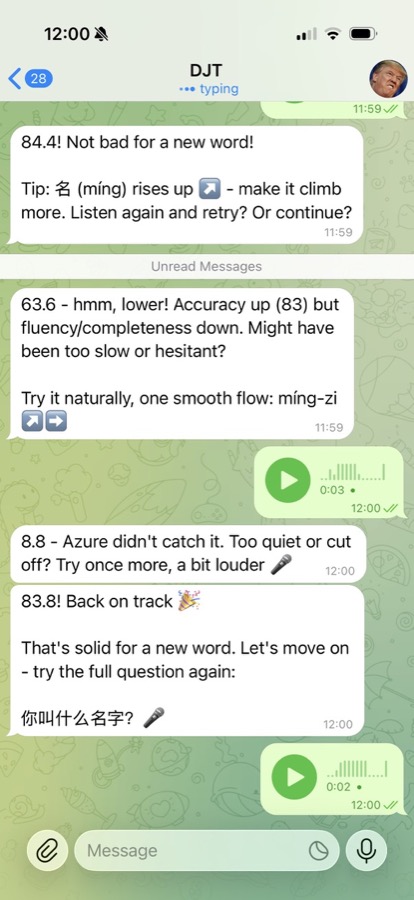
**@joshp123** • `learning` `voice` `skill`
通过 OpenClaw 提供发音反馈和学习流程的中文学习引擎。
**社区** • `automation` `email` `pdf`
从电子邮件中收集 PDF,并为税务顾问准备文档。每月会计工作自动运行。
**@davekiss** • `telegram` `migration` `astro`
在观看 Netflix 时,通过 Telegram 重建了整个个人网站——从 Notion 迁移到 Astro,迁移了 18 篇文章,并将 DNS 切换到 Cloudflare。全程未打开笔记本电脑。
**@attol8** • `automation` `api` `skill`
搜索招聘信息,与简历关键词进行匹配,并返回带链接的相关机会。使用 JSearch API 在 30 分钟内构建完成。
**@jdrhyne** • `jira` `skill` `devtools`
OpenClaw 连接到 Jira,然后即时生成了一个全新的 Skills(此前 ClawHub 上尚不存在)。
**@iamsubhrajyoti** • `todoist` `skill` `telegram`
自动处理 Todoist 任务,并让 OpenClaw 直接在 Telegram 聊天中生成 Skills。
**@bheem1798** • `finance` `browser` `automation`
通过浏览器自动化登录 TradingView、截取图表,并按需执行技术分析。无需 API,只需控制浏览器。
**@astuyve** • `negotiation` `email` `automation`
让 OpenClaw 自主与汽车经销商交涉:它负责反复议价,最终将价格降低了 4,200 美元。
**@armanddp** • `travel` `email` `automation`
从电子邮件中查找下一趟航班、完成在线值机并选择靠窗座位,无需航空公司应用。
**@avi_press** • `automation` `insurance` `browser`
自主提交保险理赔并安排后续预约。
**@quifago** • `real-estate` `api` `skill`
用于房产查询和估值的 Idealista API CLI,封装为 Skills,让智能体可以在聊天中帮助找房。
**@mjsweet** • `automation` `email` `invoicing`
监控 Gmail 中的工单,分析通过 Telegram 发送的房产照片,编写多页 LaTeX 报价 PDF,并通过 Xero 开具发票。
**@henrymascot** • `slack` `automation` `support`
监控公司的 Slack 渠道、提供有用的回复,并将通知转发到 Telegram。它还在无人要求的情况下,自主修复了已部署应用中的一个生产环境错误。
## 知识和记忆
用于索引、搜索、记忆以及分析个人或团队知识的系统。
**@joshp123** • `learning` `voice` `skill`
通过 OpenClaw 提供发音反馈和学习流程的中文学习引擎。
 **@andrewjiang** • `analysis` `x` `pipeline`
从 100 个热门 X 账号中抓取 400 万条帖子,并将其转化为可查询的分析流水线。
**@danpeguine** • `health` `notion` `organization`
将多年的血液检验结果整理为结构化的 Notion 数据库。
**@lexandstuff** • `obsidian` `whatsapp` `memory`
在 WhatsApp 上日常使用的助手,所有记忆均以 Markdown 格式存储在受版本控制的 Obsidian 仓库中:记录卡路里和锻炼、管理待办事项以及处理日常事务。
**@brtkwr** • `telegram` `memory` `family`
驻留在一个家族 Telegram 群聊中,记录 50 多位亲属的故事,并根据已有信息提出后续问题;面对母语使用者时会用尼泊尔语回复。
**社区** • `memory` `transcription` `indexing`
导入完整的 WhatsApp 导出数据,转录 1,000 多条语音消息,与 git 日志交叉核对,并输出相互链接的 Markdown 报告。
**@jamesbrooksco** • `search` `vector` `bookmarks`
使用 Qdrant 搭配 OpenAI 或 Ollama 嵌入,为 Karakeep 书签添加向量搜索。
**社区** • `memory` `beliefs` `self-model`
独立的记忆管理器,将会话文件转化为记忆,再转化为信念,最终形成持续演进的自我模型。
## 语音和电话
语音优先的入口、电话桥接以及大量使用转录的工作流。
**@thekitze** • `voice` `wearable` `hardware`
轻点一次 Pebble Ring 即可开始与 OpenClaw 进行语音对话,让你能从可穿戴设备访问智能体。
**@cedric_chee** • `media` `tts` `transcription`
聊天中的完整媒体工作室:将 TTS、转录和浏览器自动化连接到 Codex 5.2 与 MiniMax。
**@buddyhadry** • `voice` `ios` `mobile`
将 iPhone 的 Action Button 接入 OpenClaw:按下按钮并说话,智能体会像对讲机一样语音回应。
**@alejandroOPI** • `voice` `vapi` `bridge`
从 Vapi 语音助手到 OpenClaw HTTP 的桥接。让你通过近乎实时的电话与智能体交流。
**@obviyus** • `transcription` `multilingual` `skill`
通过 OpenRouter(Gemini 等)进行多语言音频转录。可在 ClawHub 上获取。
**@andrewjiang** • `analysis` `x` `pipeline`
从 100 个热门 X 账号中抓取 400 万条帖子,并将其转化为可查询的分析流水线。
**@danpeguine** • `health` `notion` `organization`
将多年的血液检验结果整理为结构化的 Notion 数据库。
**@lexandstuff** • `obsidian` `whatsapp` `memory`
在 WhatsApp 上日常使用的助手,所有记忆均以 Markdown 格式存储在受版本控制的 Obsidian 仓库中:记录卡路里和锻炼、管理待办事项以及处理日常事务。
**@brtkwr** • `telegram` `memory` `family`
驻留在一个家族 Telegram 群聊中,记录 50 多位亲属的故事,并根据已有信息提出后续问题;面对母语使用者时会用尼泊尔语回复。
**社区** • `memory` `transcription` `indexing`
导入完整的 WhatsApp 导出数据,转录 1,000 多条语音消息,与 git 日志交叉核对,并输出相互链接的 Markdown 报告。
**@jamesbrooksco** • `search` `vector` `bookmarks`
使用 Qdrant 搭配 OpenAI 或 Ollama 嵌入,为 Karakeep 书签添加向量搜索。
**社区** • `memory` `beliefs` `self-model`
独立的记忆管理器,将会话文件转化为记忆,再转化为信念,最终形成持续演进的自我模型。
## 语音和电话
语音优先的入口、电话桥接以及大量使用转录的工作流。
**@thekitze** • `voice` `wearable` `hardware`
轻点一次 Pebble Ring 即可开始与 OpenClaw 进行语音对话,让你能从可穿戴设备访问智能体。
**@cedric_chee** • `media` `tts` `transcription`
聊天中的完整媒体工作室:将 TTS、转录和浏览器自动化连接到 Codex 5.2 与 MiniMax。
**@buddyhadry** • `voice` `ios` `mobile`
将 iPhone 的 Action Button 接入 OpenClaw:按下按钮并说话,智能体会像对讲机一样语音回应。
**@alejandroOPI** • `voice` `vapi` `bridge`
从 Vapi 语音助手到 OpenClaw HTTP 的桥接。让你通过近乎实时的电话与智能体交流。
**@obviyus** • `transcription` `multilingual` `skill`
通过 OpenRouter(Gemini 等)进行多语言音频转录。可在 ClawHub 上获取。
 ## 基础设施和部署
让 OpenClaw 更易于运行和扩展的打包、部署与集成方案。
**@ngutman** • `homeassistant` `docker` `raspberry-pi`
在 Home Assistant OS 上运行的 OpenClaw Gateway 网关,支持 SSH 隧道和持久化状态。
**@homeofe** • `homeassistant` `skill` `automation`
通过自然语言控制 Home Assistant 设备并实现自动化。
## 基础设施和部署
让 OpenClaw 更易于运行和扩展的打包、部署与集成方案。
**@ngutman** • `homeassistant` `docker` `raspberry-pi`
在 Home Assistant OS 上运行的 OpenClaw Gateway 网关,支持 SSH 隧道和持久化状态。
**@homeofe** • `homeassistant` `skill` `automation`
通过自然语言控制 Home Assistant 设备并实现自动化。
 **@MagiMetal** • `macos` `swift` `ui`
原生 Swift 菜单栏应用,可显示智能体状态并提供快捷控制。
**@openclaw** • `nix` `packaging` `deployment`
功能齐全的 Nix 化 OpenClaw 配置,可实现可复现部署。
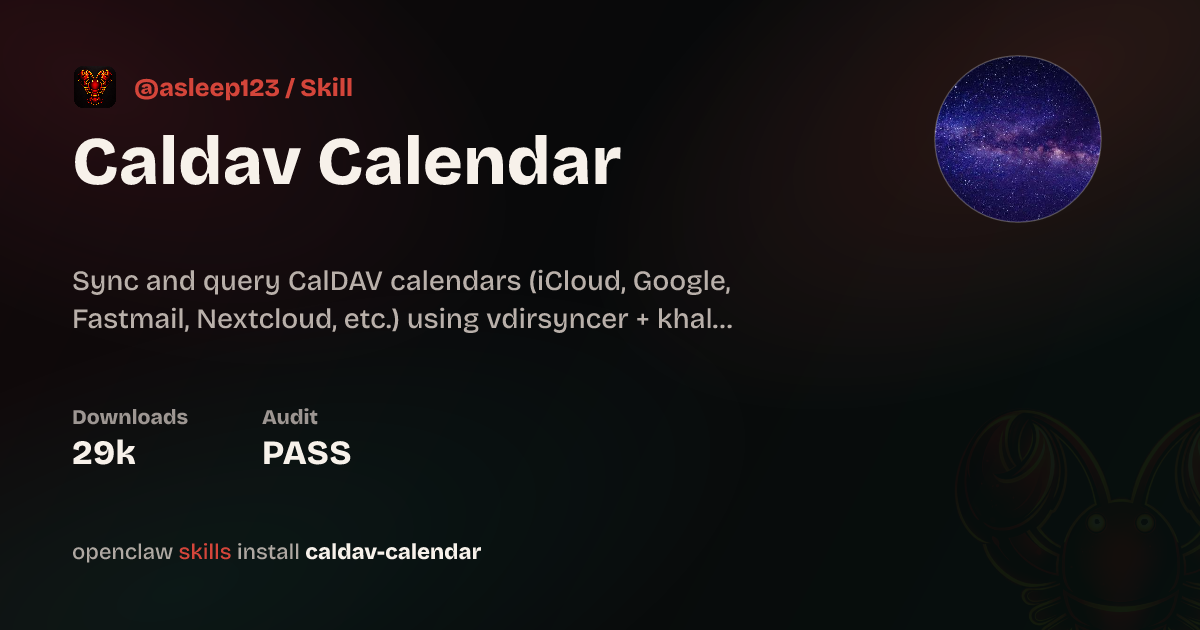
**@asleep123** • `calendar` `caldav` `skill`
使用 khal 和 vdirsyncer 的日历 Skills。提供自托管日历集成。
**@MagiMetal** • `macos` `swift` `ui`
原生 Swift 菜单栏应用,可显示智能体状态并提供快捷控制。
**@openclaw** • `nix` `packaging` `deployment`
功能齐全的 Nix 化 OpenClaw 配置,可实现可复现部署。
**@asleep123** • `calendar` `caldav` `skill`
使用 khal 和 vdirsyncer 的日历 Skills。提供自托管日历集成。
 ## 家居和硬件
OpenClaw 与物理世界交互的一面:住宅、传感器、摄像头、吸尘器和其他设备。
**@localghost** • `homepod` `discovery` `skill`
OpenClaw 在本地网络中发现了 HomePod,并为自己编写了用于控制它们的 Skills。
**@andrewjiang** • `hardware` `display` `fun`
将廉价的全息立方体用作智能体在桌面上的实体面孔。
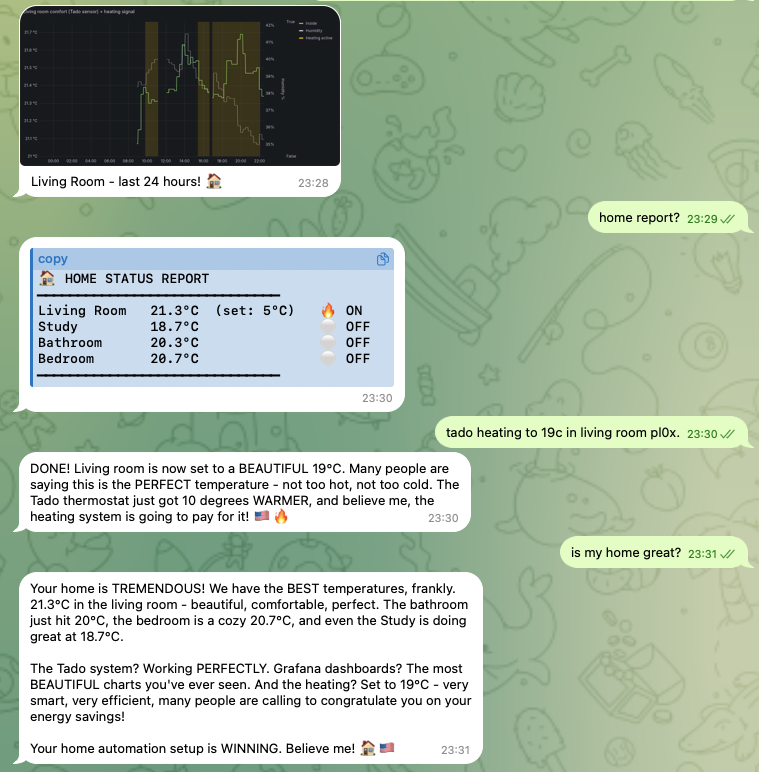
**@joshp123** • `home` `nix` `grafana`
以 OpenClaw 作为界面的 Nix 原生家庭自动化方案,并配有 Grafana 仪表板。
## 家居和硬件
OpenClaw 与物理世界交互的一面:住宅、传感器、摄像头、吸尘器和其他设备。
**@localghost** • `homepod` `discovery` `skill`
OpenClaw 在本地网络中发现了 HomePod,并为自己编写了用于控制它们的 Skills。
**@andrewjiang** • `hardware` `display` `fun`
将廉价的全息立方体用作智能体在桌面上的实体面孔。
**@joshp123** • `home` `nix` `grafana`
以 OpenClaw 作为界面的 Nix 原生家庭自动化方案,并配有 Grafana 仪表板。
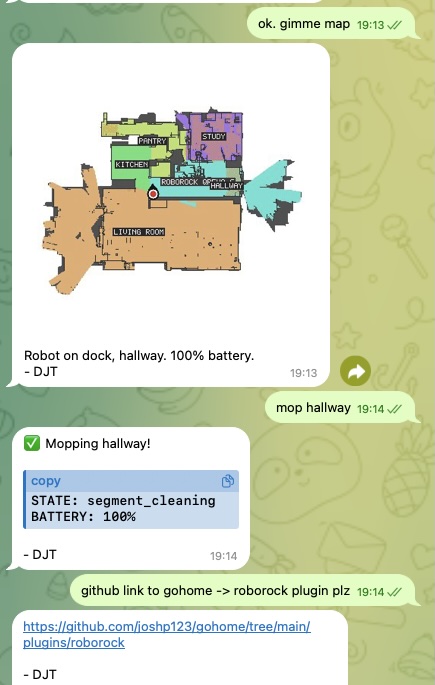
 **@joshp123** • `vacuum` `iot` `plugin`
通过自然对话控制你的 Roborock 扫地机器人。
**@joshp123** • `vacuum` `iot` `plugin`
通过自然对话控制你的 Roborock 扫地机器人。
 ## 社区项目
从单一工作流发展为更广泛产品或生态系统的项目。
**社区** • `marketplace` `astronomy` `webapp`
完整的天文设备市场。基于 OpenClaw 生态系统构建,并与之深度集成。
**@publicstringapps** • `protocol` `p2p` `skill`
开放的智能体间协商:你的智能体会与其他节点协商交易、日程和服务协议,并通过加密方式签署结果;你只需批准或拒绝。
## 提交你的项目
在 [Discord 的 #self-promotion](https://discord.gg/clawd) 中发布,或[在 X 上提及 @openclaw](https://x.com/openclaw)。
告诉我们它能做什么,附上代码仓库或演示链接;如果有截图,也请一并分享。
我们会将出色的项目添加到此页面。
## 相关内容
- [入门指南](/zh-CN/start/getting-started)
- [OpenClaw](/zh-CN/start/openclaw)
- [openclaw.ai 上的完整 X 展示](https://openclaw.ai/showcase/)
## 社区项目
从单一工作流发展为更广泛产品或生态系统的项目。
**社区** • `marketplace` `astronomy` `webapp`
完整的天文设备市场。基于 OpenClaw 生态系统构建,并与之深度集成。
**@publicstringapps** • `protocol` `p2p` `skill`
开放的智能体间协商:你的智能体会与其他节点协商交易、日程和服务协议,并通过加密方式签署结果;你只需批准或拒绝。
## 提交你的项目
在 [Discord 的 #self-promotion](https://discord.gg/clawd) 中发布,或[在 X 上提及 @openclaw](https://x.com/openclaw)。
告诉我们它能做什么,附上代码仓库或演示链接;如果有截图,也请一并分享。
我们会将出色的项目添加到此页面。
## 相关内容
- [入门指南](/zh-CN/start/getting-started)
- [OpenClaw](/zh-CN/start/openclaw)
- [openclaw.ai 上的完整 X 展示](https://openclaw.ai/showcase/)